





Key Takeaways
-
This guide simplifies how to make commercial ads in 2026 with modern tools & workflows
-
Plan multi-shot product commercials without a traditional shoot using a single, well-organized reference images folder.
-
Money Shot transforms reference images into cinematic reveals and transitions, provided you clearly pre-define your product angles.
-
Directorial planning, like mapping sequences and rhythm, gives AI the necessary structure to execute your vision instead of improvising.
-
Older or imperfect assets can be rescued and upscaled using tools like Nano Banana Pro to blend seamlessly with fresh content.
-
Treating your reference images folder as a master asset allows a single image set to fuel endless ad variations across multiple hooks and platforms.
In this guide, “commercial ads” refers specifically to short-form product and brand video commercials used for digital advertising. The ad world moves at warp speed, but the way most product shots get made still looks like this: days of prep, a shoot day that never runs on time, and a post schedule that somehow always doubles.
Now think about the opposite workflow with Money Shot inside invideo.
You create a folder containing 4–8 strong product photos and direct a multi-shot commercial from that folder: hero reveal, feature details, mood-building transitions, then a final shot that actually looks like your product. Not “kind of like it.” Not “close enough.” The real thing: logo, packaging text, and all.
Sounds cool, right? Money Shot on invideo makes all this possible.
How to Structure a Commercial Ad (Hook → Explore → Payoff)
A 10-90 second commercial ad isn’t “short.” It’s compressed. That means every second has a job.
If you’ve ever observed a product commercial that looks gorgeous but doesn’t sell, it usually fails for one of three reasons: it doesn’t hook fast enough, it doesn’t show the product clearly enough, or it doesn’t land the brand/CTA cleanly.
So here’s the structure you can use for almost every composition, regardless of platform or aspect ratio:
Hook → Explore → Payoff.
Not a formula. A rhythm.
Money Shot works well because it’s built around that same rhythm, turning a small set of product angles into a sequence of multiple shots and transitions. So, you’re not manually inventing continuity from scratch.
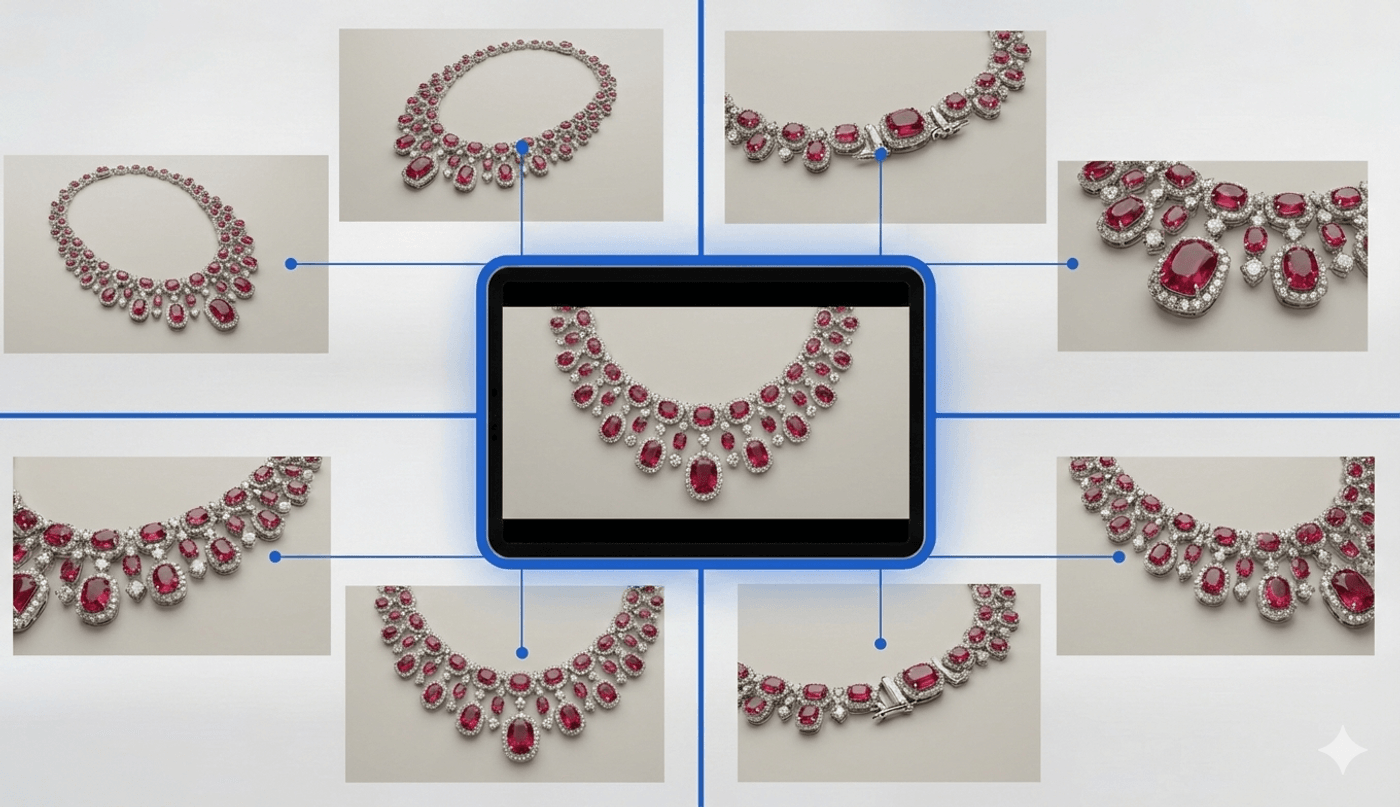
How to Prepare Product Images for Commercial Ads Without a Studio Shoot
Think of your reference folder as a tiny plate shoot that happens before anything is generated. You are not just collecting pretty frames; you are planning coverage the way an editor would cut it later.
Short product ads work in contrast: wide versus close, static versus movement, clean identity versus rich texture. With well‑chosen images, you give yourself enough variation for a sequence that feels directed instead of shuffled.
A well-curated folder helps you:
-
Maintain product consistency while “moving” the camera through space.
-
Reduce text issues by including at least one clear label close-up.
-
Build smoother transitions instead of repeating the same angle with minor crops.
In practice, each image should have a specific job in the final commercial. If every photo is the same front angle, the cut has nowhere to go, and the ad will feel flat; with 6–8 planned variations, you can open on a hero, move into textures, reframe with a second hero, and close on a clean closing shot that feels deliberate and polished.
Images Needed to Make a Product Commercial Ad
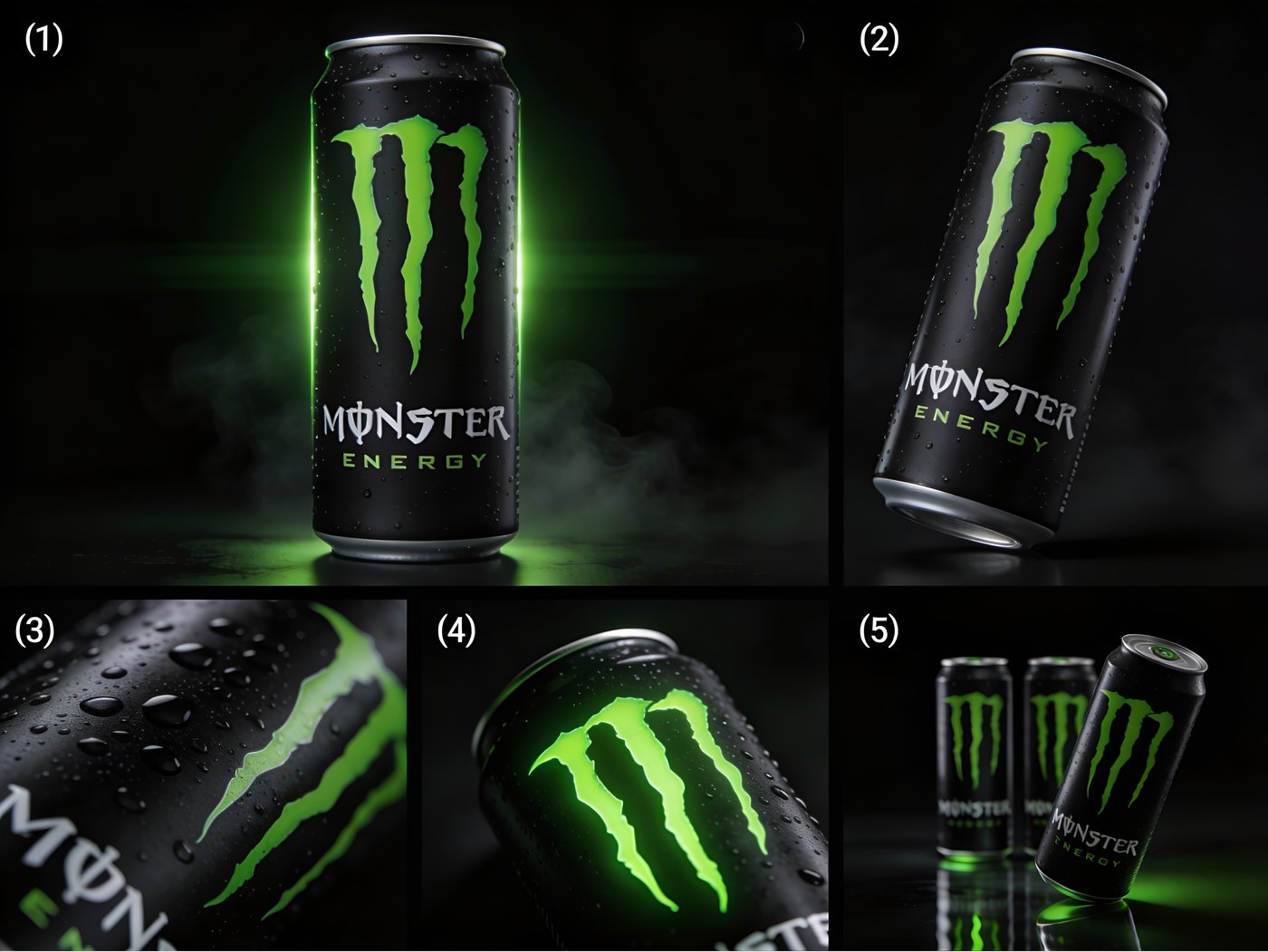
For most products, you will want a hero view, a second hero angle, at least one detail/texture close-up, a logo/wordmark close-up if the product has small text, and one “shape” angle (side profile or three-quarter). If you have packaging, include a clean pack shot too.
Practical Image Rules for AI-Generated Commercial Ads
For best results, follow a few simple image rules when shooting your products for AI-generated commercials.
-
Keep backgrounds simple (white or clean neutral works best), keep the product unobstructed, and avoid clutter.
-
If the product has small text, shoot a dedicated close-up where that text is large in the frame, since tiny label text is where most systems struggle and it’s what viewers look at to judge trust.
Naming your images
Name the files like you’re prepping a shot list. When you prompt (and later when you stitch multiple 10-second outputs), you’ll think more clearly because your “coverage” is organized like a real shoot.
-
01_HERO_FRONT
-
02_HERO_3Q_LEFT
-
03_SIDE_PROFILE
-
04_DETAIL_LOGO
-
05_DETAIL_TEXTURE
-
06_PACKSHOT (optional)
-
07_ALT_ANGLE (optional)
-
08_CASE_OR_ACCESSORY (optional)
Map images to shot types to make effective commercial video ads
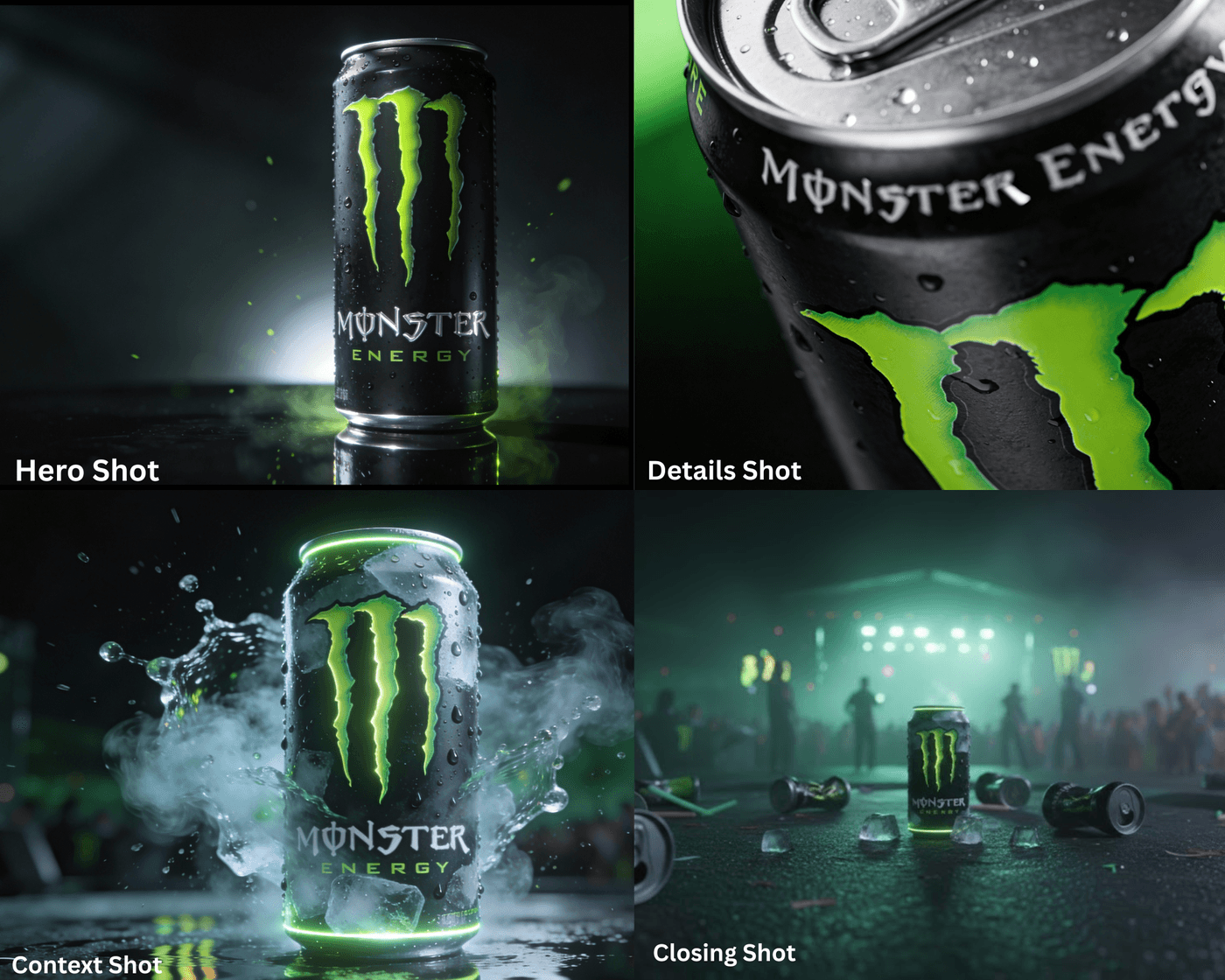
The simplest way to direct from static assets: assign each image a job. Take your product photos and label them by shot purpose before feeding them into invideo’s project.
Nano Banana Pro can quickly turn both old and new product photos into high‑quality, on‑brand assets you can slot into your shot list. This forces cinematic logic instead of random cuts.
The four shot jobs that make a commercial ads feel “real”
Great ads don't just show the product: they build a believable world around it in seconds. These four shot types create that cinematic flow, making viewers trust the product and remember the brand.
-
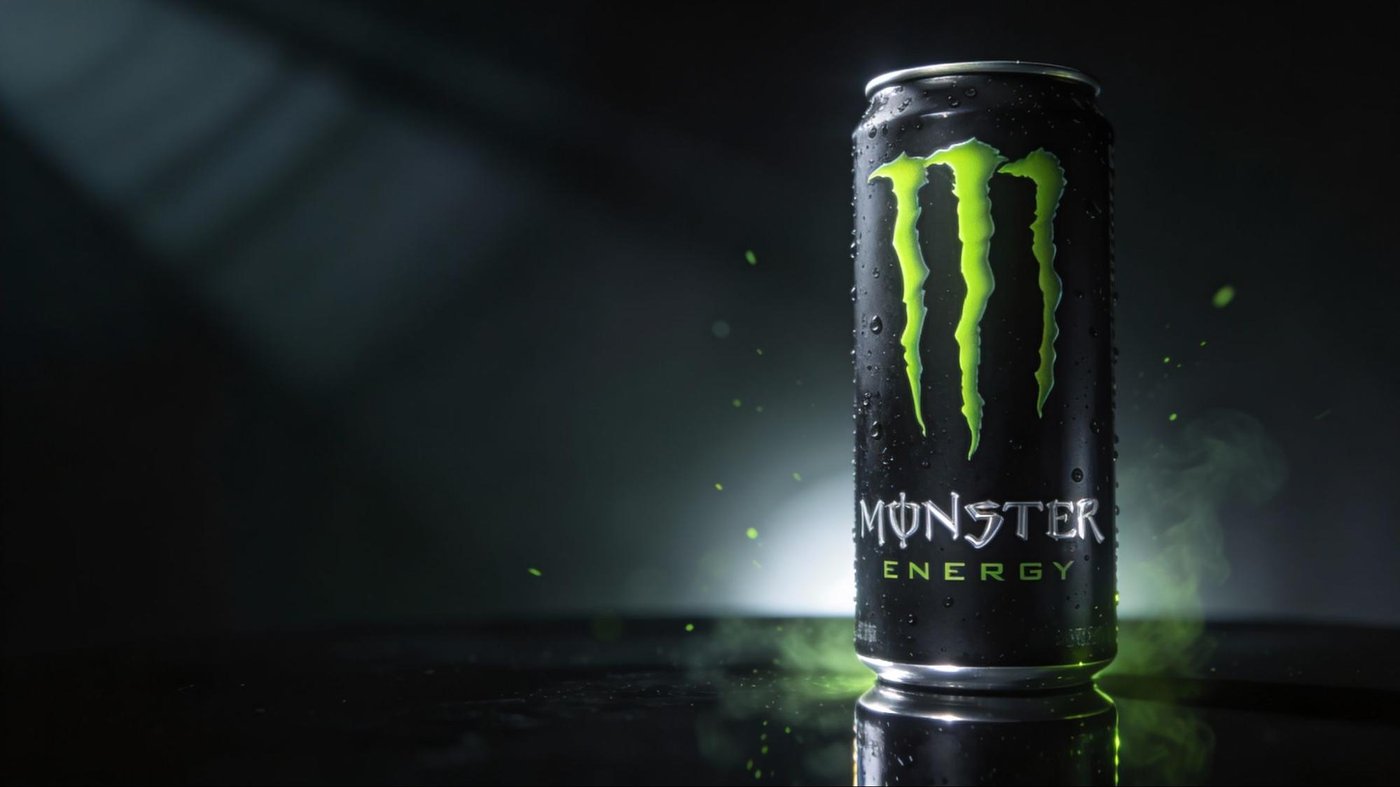
Hero shot: Establishes the product identity, not just the shape. Think a slow 360 reveal under soft light that screams premium quality before any details kick in.
![]()
-
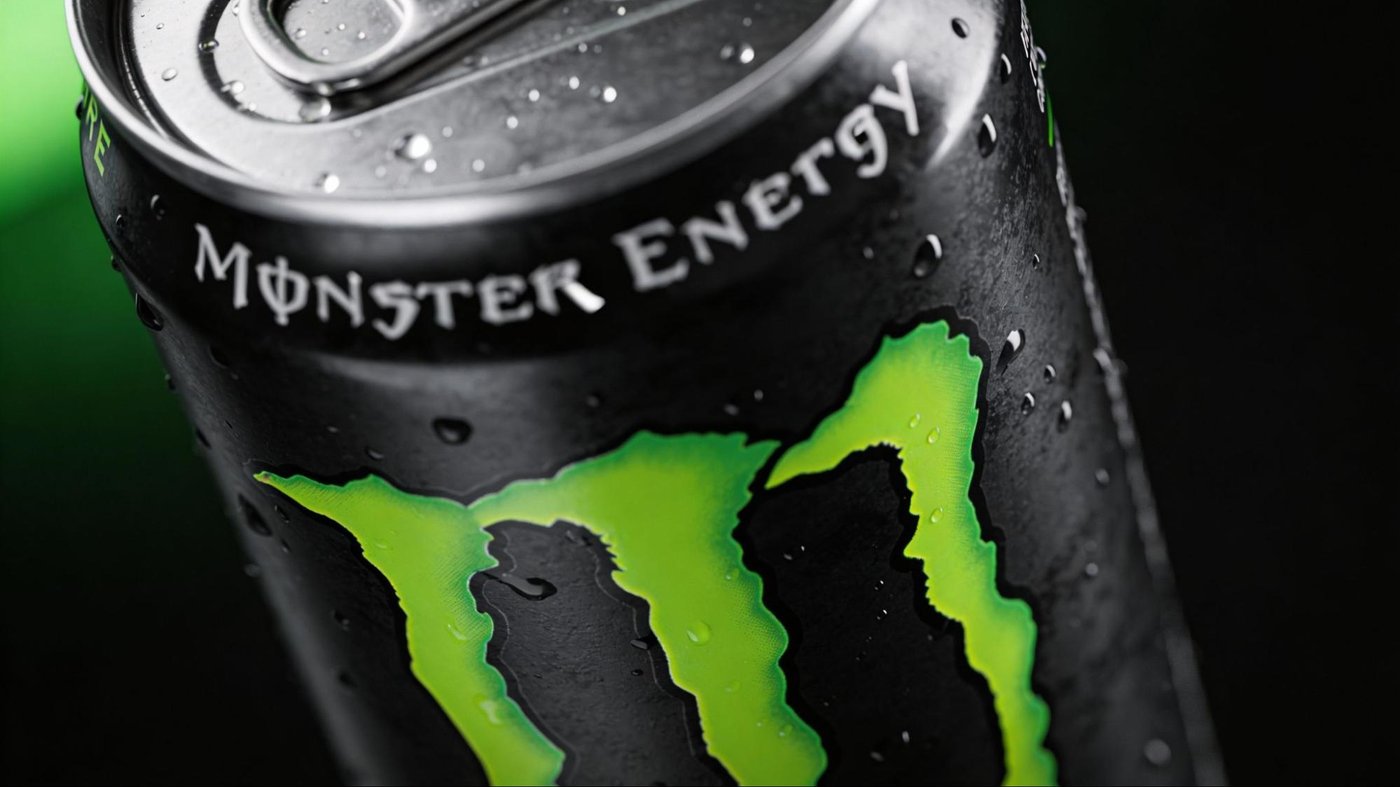
Detail shots: Prove quality up close; materials, logos, finishes, buttons, textures. These build desire by showing craftsmanship that e-commerce photos can't capture.
![]()
-
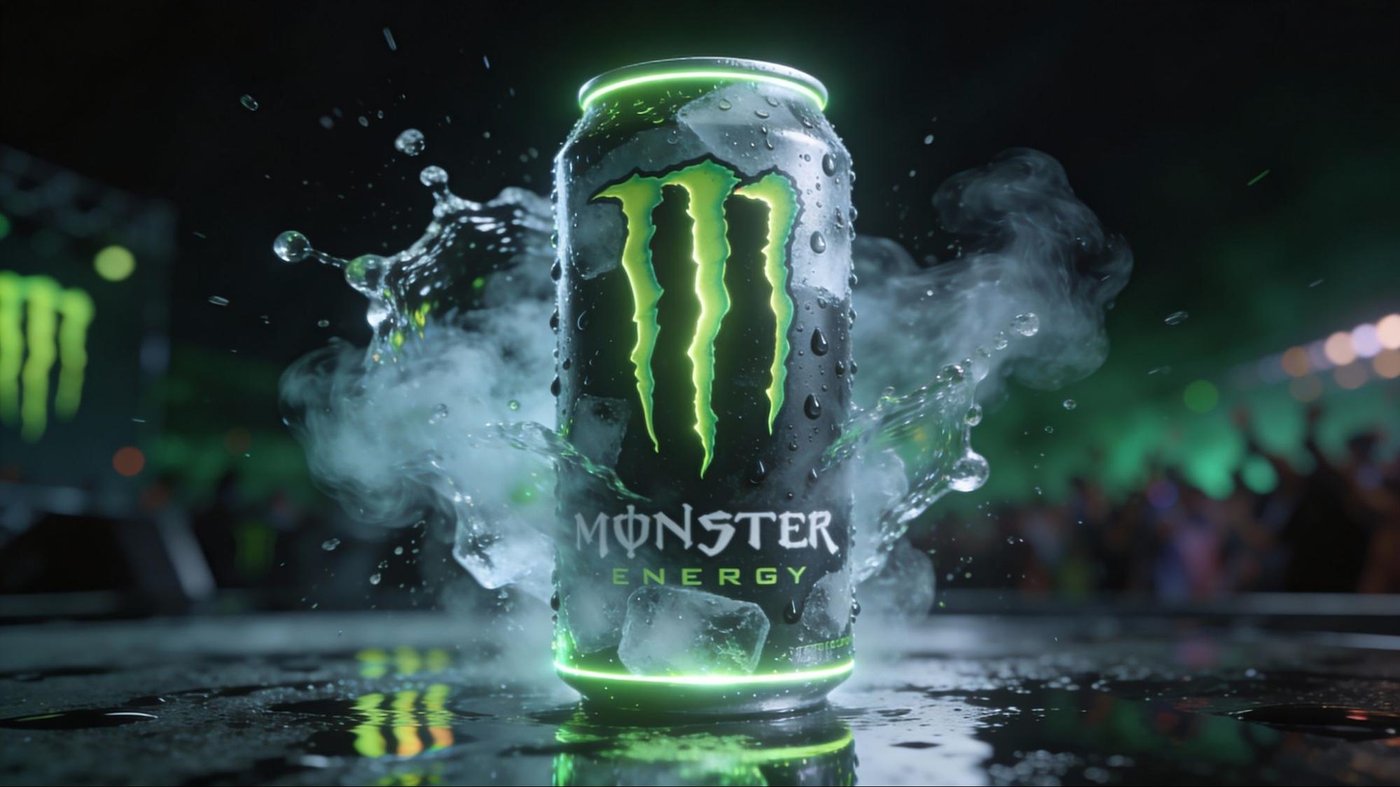
Context/mood shot: Implies a world around the product. Studio luxury for watches, noir drama for whiskey, outdoors energy for bikes, or iconic locations for scale.
![]()
-
Closing money shot: Clean brand moment. Logo integration, tagline overlay, or final rotation where the audience locks in the product for purchase.
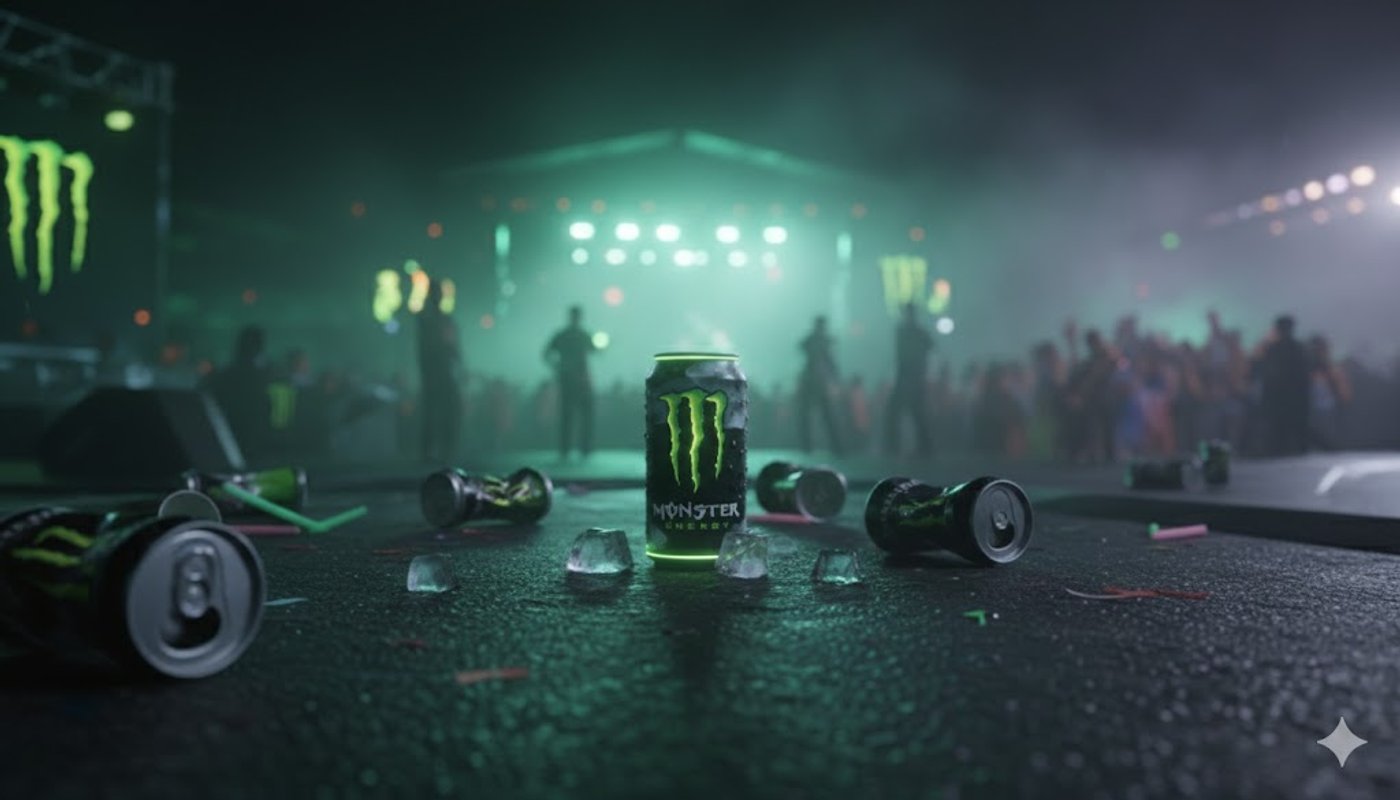
Money Shot effectively plays “director’s assistant” here by turning your image set into a multi-shot sequence with transitions, while keeping the product consistent.
Choose a Visual Style Like a Director, Not Like a Filter Picker
This is the moment where most people go wrong: they pick a style because it looks cool.
Pick a style because it supports the product’s promise.
Money Shot includes multiple preset styles (for example: 3D Madness, Automotive Action, Indoor Studio, Cinematic Noir, Iconic Locations, High End Luxury, and Advanced Director) visible in the styles gallery.
Commercial ad examples
Sunglasses are perfect for Indoor Studio because the product lives in reflections, finish, and shape. The “sell” is subtle: premium materials, clean silhouette, brand detail, and how it catches light.
So we’re going to build a curated folder that supports: controlled highlights, macro details, and a clean final pack shot.
Storyboard the 10–11 second cut
Money Shot typically outputs a complete multi-shot commercial around 10–11 seconds. So your storyboard needs to fit that reality.
For the Indoor Studio sunglasses example, a simple 10–11 second story arc works well:
-
0.0–1.5s – Hook
Abstract highlights or silhouette reveal from a hero angle to spark curiosity and establish a premium mood. -
1.5–5.5s – Explore
Two to three crisp detail beats: logo on the temple, hinge engineering, lens reflection, or surface texture that sells material quality. -
5.5–8.5s – Reframe
A second hero angle with a slow, confident move that shows shape and fit, keeping the product centered and expensive-feeling. -
8.5–11s – Payoff
Clean pack shot with space for a simple brand line, so the viewer leaves with a clear picture of what to buy and who it is from.
You’re not cramming feature list copy into 10-11 seconds here; you’re building desire first, clarity second, so the final frame lands as a satisfying payoff instead of just another angle.
Prompt: How to Make a Commercial
If you want Money Shot to behave like a director, don’t write prompts like a user. Write prompts like a brief.
That means spelling out duration, pacing, lighting logic, camera language, and what the final frame should do. Then you pair that brief with invideo’s Money Shot ready-made styles and execute the right visual language for your product.
- Prompt Template: “Indoor Studio premium product film.”
Money Shot features premium, studio-style shots that highlight the subject with clean, controlled lighting. It delivers high-impact hero visuals ideal for ads and promos.
It is ideal for eye-catching, high-energy hero visuals that feel dynamic and futuristic.
Prompt Template: Create a product commercial for these [Product] in an
ultra-real indoor studio style. Keep the [Product] 100% consistent to the
reference photos, including all logo text.

Use controlled studio lighting with clean reflections on the lenses.
Start with a dramatic close hero reveal, then cut to 2–3 macro detail
shots (logo, hinge, lens reflection).

Use slow, premium camera moves (subtle dolly-in, gentle orbit).
End on a clean centered pack shot with space for a minimal brand line. No
extra text or logos added beyond the real product branding.
- Prompt Template: “Fast hook, slower luxury landing”
High End Luxury Shot delivers ultra-polished, cinematic luxury visuals that make products feel rare, aspirational, and worth a premium.
It is crafted for refined, slow-burn hero shots with rich textures, elegant motion, and a high-fashion aesthetic that screams exclusivity.
Prompt Template: High-end luxury commercial of a single [@product]
displayed on a glossy black marble pedestal in a minimal, ultra-premium
studio, surrounded by soft champagne-gold reflections and subtle bokeh
lights in the background.

The camera glides in slowly with confident, fluid motion, rotating gently
around the [@product] while it catches highlights from perfectly
diffused, high-key studio lighting that makes every edge, texture, and
logo feel refined and expensive.

The environment feels like a luxury flagship boutique: polished surfaces,
hints of glass and metal, no clutter, just negative space that draws
attention to the [@product] and suggests exclusivity and
sophistication.

Use rich contrast, slow assured camera moves, and a calm, elegant mood,
rendered in High End Luxury Money Shot style, ultra-sharp, studio-grade
commercial look.
- Prompt Template: “Iconic Locations”
Here, Money Shot places your subject in instantly recognizable, cinematic backdrops that add scale and storytelling to every frame.
It is perfect for creating aspirational, travel-ready visuals that make brands feel larger than life.
Prompt Template: Cinematic product commercial of a single [@product]
displayed prominently in the foreground, placed in front of an instantly
recognizable, iconic landmark in the background, shot during golden hour
with warm, soft sunlight and long shadows.

The [@product] sits on a subtle, unobtrusive surface (like a stone
ledge or minimal pedestal) while the landmark and skyline behind it are
slightly out of focus, creating strong depth and a travel-lifestyle feel.

The camera slowly pushes in and arcs around the [@product], keeping it
sharp and centered while the landmark and city lights gently shift in
parallax, suggesting adventure, aspiration, and bucket-list experiences
without focusing on technical specs. Atmospheric haze, gentle lens flares,
and natural ambient lighting make the scene feel real and premium,
ultra-sharp, high-end commercial look.
- Prompt Template: “3D Madness showcase”
3D Madness creates bold, hyper-stylized 3D product and brand shots with dramatic motion and depth.
It is ideal for eye-catching, high-energy hero visuals that feel dynamic and futuristic.
Prompt Template: Ultra-realistic 3D animation of a single [@product]
floating in a dark studio, rotating in slow motion as the camera
orbits smoothly around it.

Highly detailed mesh and textures with visible material surface,
dynamic specular highlights on the logo area, and soft volumetric
light beams cutting through subtle atmospheric haze.

The [product] deconstructs mid-air into exploded view layers (base,
core components, outer shell, fine details) then snaps back together
with a clean, satisfying motion. Neon accents in brand colors streak
past in the background as light trails, adding depth and parallax.

Cinematic, high-contrast lighting with glossy reflections on a
polished black floor, rendered in 3D Madness style, 4K, ultra-sharp,
product commercial look.
- Prompt Template: “Cinematic Noir mood film”
This template bathes your subject in moody, high-contrast shadows, echoing classic film noir style.
It is built for dramatic, story-rich hero shots with deep blacks, sharp light beams, and a mysterious edge.
Prompt Template: Dark, moody cinematic noir commercial featuring a single [@product]
on a small table in a dimly lit room, framed in a close-up hero shot with
strong contrast and deep shadows. Low-key lighting from a single overhead
and side practical lamp creates hard, dramatic shadows and a sharp beam of
light that cuts through faint cigarette smoke in the air, leaving most of
the background in darkness.

The camera slowly dollies in and arcs around the [@product], revealing
different sides while parts of the frame fall in and out of shadow, like a
classic black-and-white detective movie. Muted, desaturated tones with
subtle film grain, reflections on a slightly wet surface, and a hazy
city-night window silhouette in the background add mystery and tension.
Render in Cinematic Noir style, ultra-sharp, high contrast, studio-grade
product commercial look.
Advanced Director Mode: When You Want More Control Than Presets
Sometimes the preset style gets you 80% there, and your taste demands the remaining 20%.
That’s where an Advanced Director comes in. Your notes: it’s designed for custom prompting and can incorporate storyboarding via sketches (for example, 4 product images plus 3 sketches), and it rewards people who can speak camera language; macro close-up, orbit, dolly-in, focal length feel, lighting direction.
Use it when you want to specify things like: “start on a macro lens reflection, whip-pan into a wide hero, then settle into a slow dolly-in for the pack shot,” instead of leaving sequencing entirely to the preset.
Turning One Well-Curated Folder Into a Campaign System

Once you have your folder in place, you can run it through multiple styles and angles without re-shooting. That's the real win: you stop treating video as a one-off project and start treating it like an iteration system.

Use the same folder to generate different styles of videos. That's how performance teams avoid creative fatigue without burning production budgets.
Practical Constraints and What to Do About Them
Tools have blind spots, token limits, and style biases, so plan your storyboard and shot roles around what they handle well instead of forcing ultra‑complex scenes that will break or look inconsistent. A few realities to plan for so you don’t fight the tool:
Director’s Workflow: the Practical Step-by-step
Step-1: Select the Agent & Model
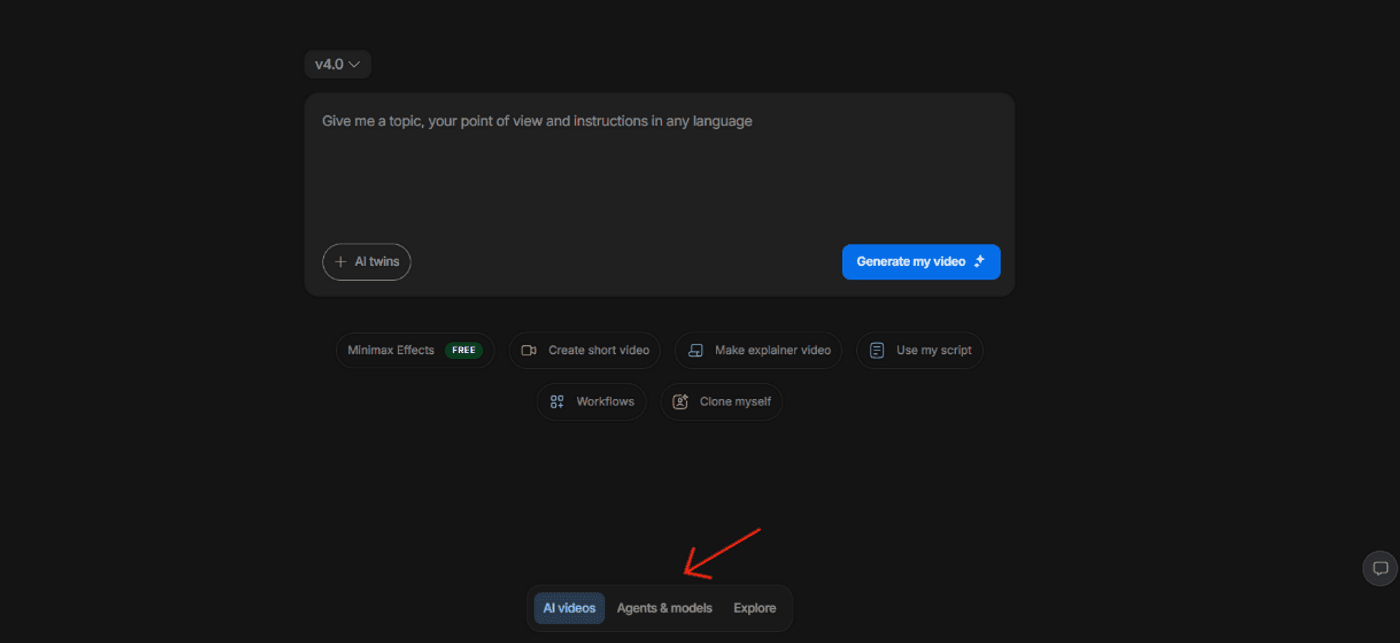
Sign up for invideo using your email, Google, or Apple account (or log in if you're already set up), then select “Agents & Models” from the three options below and create a new project.
Step-2: Define the objective in one line
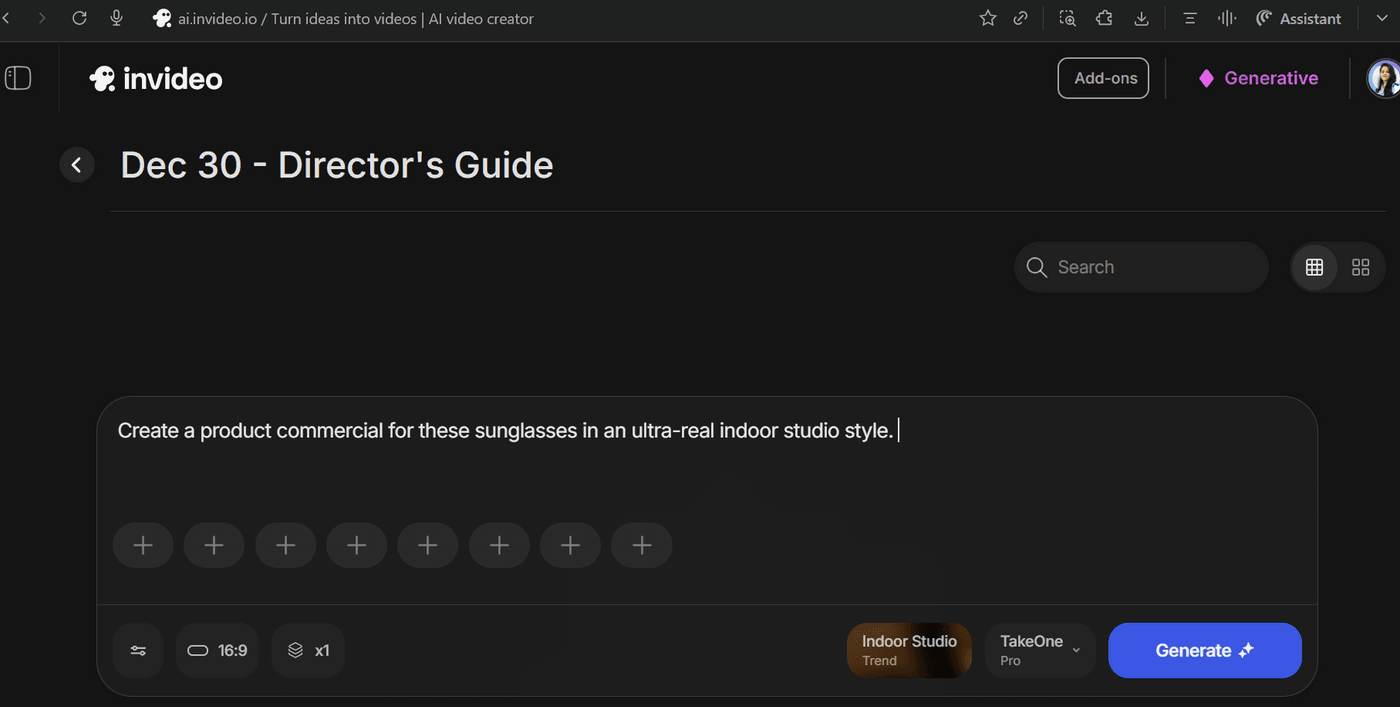
Not “sell sunglasses.” More like: “Luxury studio film highlighting sunglass lenses and matte finish.”
Step-3: Build your shot folder like coverage
Pick 4–8 images with distinct jobs: hero, alternate hero, logo detail, hinge detail, lens reflection, clean pack shot.
Step-4: Pick the style that matches the promise
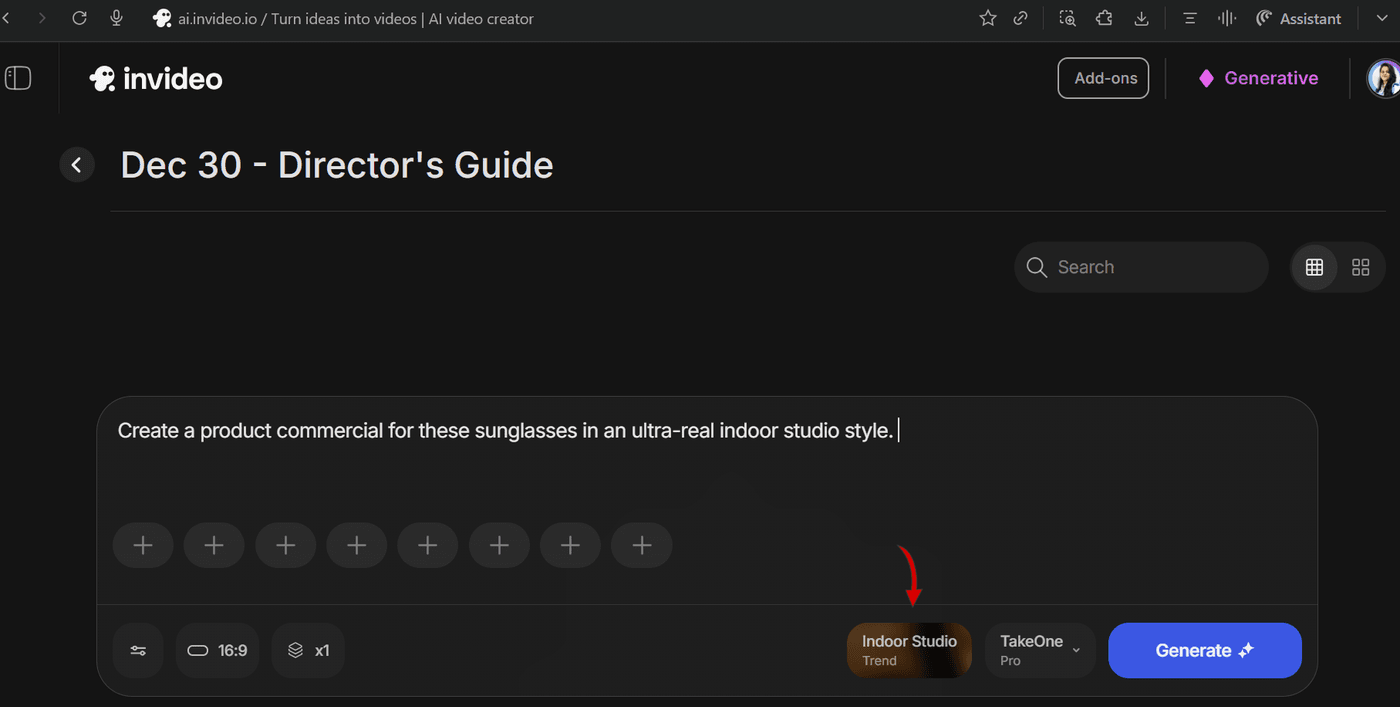
For sunglasses: Indoor Studio is the cleanest fit for premium cues. (You can still test High End Luxury if you want more fashion drama.)
Step-5: Write a brief-style prompt
Use one of the templates above. Include pacing and a specific final frame.
Step-6: Generate multiple variations on purpose
Don’t just “regenerate.” Change one lever per version: faster cut rhythm, more macro detail, darker mood, or a stronger opening reveal.
Step-7: Stitch if you’re making 30 seconds
Choose your best “Act A,” “Act B,” and “Act C.” Assemble, then smooth continuity with music and subtle grading.
Step-8: Finish like a real ad
Sound design matters. A soft whoosh, a fabric rustle, a subtle click; those cues sell “real production” faster than another transition.
From Single Folder to Campaign System
The true power of a workflow lies in its scalability. A single, thoughtfully curated reference folder can feed an entire campaign, generating multiple cutdowns, aspect ratios, and creative variations for different channels and A/B testing.
The "folder-to-commercial" system, exemplified by Money Shot, makes sophisticated video production realistic for small teams and individual creators without needing a full agency or studio.
The fastest way to internalize this process is to dive right in. Pick a product, set up your mini-studio by a window, capture your reference images, and then head to invideo's Agents & Models → Trends → Money Shot. Upload your photos, use one of the prompt examples, and generate your first commercial. From there, it's all about iteration and refining your directorial vision.
Start with Money Shot on invideo and take your product ads to the next level.
Frequently Asked Questions
-
1.
How many photos should you upload per product when working with Money Shot?
Four to eight is ideal. Focus on a straight-on hero, a three-quarter angle, a side profile, and a couple of strong close-ups that show branding and texture. This specific range is the "sweet spot" that allows AI to understand the three-dimensional form of your item, ensuring smooth transitions and consistent visuals throughout your generated video ad.
While the quantity matters, the variety of angles is what truly makes a difference in the final cinematic output.
-
2.
Does the background have to be pure white when using Money Shot?
While a pure white background isn’t strictly mandatory for Money Shot, using white or very light neutral tones (like light grey or off-white) remains the "gold standard" for achieving professional-grade product isolation and cinematic compositing.
Think of your source photos as the "raw data" AI uses to build your video. The cleaner the input, the more flexibility AI has to place your product into complex, high-end environments.
-
3.
When working with Money Shot, what if your label text isn't readable in the video?
Shoot at least one dedicated close-up where the label fills most of the frame and is extremely sharp. Include this image in your upload set, so AI has a clear reference for macro shots.
-
4.
Can you use older catalog photos on Money Shot?
Yes, especially if you run them through Nano Banana Pro first to upscale and clean them. However, be cautious with heavily filtered or oddly lit images; a quick phone reshoot in good light often yields better results.
-
5.
How do you shoot for both vertical and horizontal formats on Money Shot?
Frame your shots a little wider than you think you need, keeping the product well clear of the very top and bottom edges. The most important rule is to provide a "buffer zone." If you frame your product too tightly in the original photo, you restrict AI’s ability to move the virtual camera, leading to awkward crops or "cut-off" edges in different aspect ratios.
