Best Video Editors for editing Meta Ads : Features and Cost Compared.
November 5, 2026

Invideo Editor is the best overall choice for editing Meta ads from supplied footage, combining AI assistance with detailed manual control over the same project. Editing manually or through ChatGPT or Claude is free, as are watermark-free video and editable-project exports. CapCut and Filmora suit desktop editing, Canva connects ads to campaign designs, Kapwing supports team editing and review, and VEED suits speech edits with styled captions.
Editing a Meta ad starts with the material you already have: product footage, creator recordings, a script or offer, and brand assets. The work is in shaping those pieces into a clear message, from the opening and product demonstration to the offer and call to action. Captions, graphics, sound and framing then need to support that message across the Facebook and Instagram placements you plan to use.
We compared invideo Editor, CapCut, Canva, Kapwing, VEED and Filmora across that workflow: selecting and arranging footage, adding captions and branding, refining picture and sound, and preparing placement layouts and exports. If you already have an approved ad and need new lengths or openings, our ad cutdowns and variations comparison covers that stage.
Best video editors for Meta ads at a glance
Tool | Selecting and assembling the ad | Adding captions and brand graphics | Refining picture and sound | Framing and delivering |
|---|---|---|---|---|
invideo Editor | The built-in agent or free ChatGPT/Claude editing route finds spoken hooks and product actions, then assembles supplied footage around the script, offer and creative brief directly on a professional timeline. Manual controls remain available to refine the edit. | Captions, logos, offer cards and product callouts stay on separate editable layers. Agent assistance and precise keyframes help coordinate their appearance, movement and readable holds on the timeline. | Colour wheels, curves, qualifiers and masks match shots and target product corrections. Separate dialogue, music and effects tracks, EQ and dynamics controls support detailed sound finishing. | Assistant-directed resizing and manual framing adapt shots and text for each ad placement. Watermark-free videos and editable-project exports with media are free, keeping delivery and later revisions accessible. |
CapCut | Desktop Smart Search locates objects, speech and people to shortlist hooks and product footage. Manual splits, trims and clip arrangement build the opening, demonstration, offer and ending. | Editable captions, text, overlays and keyframe graphs support timed offers and moving graphics. Pro materials require paid access at export, so premium treatments affect the finished ad’s cost. | Colour controls, curves, noise reduction and separate audio layers support shot matching and speech/music balance. Library materials need the appropriate commercial permission; unsuitable assets must be replaced for advertising. | Manual crop and positioning adapt the canvas. Auto Reframe requires CapCut Pro, leaving moving-subject framing to manual adjustments on the free route. Exports using non-Pro features and materials are free. |
Canva | Uploaded clips can be previewed, split, trimmed and arranged on a multitrack timeline. Separate video, graphic and audio tracks keep the message and supporting product shots editable. | Templates, editable text, custom motion paths and Brand Kits connect the ad to campaign designs. The free plan’s Brand Kit is limited to three colours, restricting a larger saved brand palette. | Video Adjust, audio levels and fades help balance the ad. Enhance Voice needs the Pro, Business or Enterprise plan and uses AI allowance, adding paid access for automated speech cleanup. | Supported video resizing and editable crops adapt the layout, but each Magic Resize uses monthly AI allowance. Videos using your uploads or Canva’s free assets export without watermarks, but premium stock requires a licence or an eligible subscription. |
Kapwing | Clip previews, transcript cuts and Kai’s editing requests support a first assembly from supplied footage. Transcription-based AI editing uses credits, so longer source recordings consume more of the allowance. | Separate text, caption and image layers support offers, logos and product labels. Brand Kit and custom fonts require the Pro plan, adding paid access for reusable branded styling. | Shot adjustments, volume keyframes, fades and Clean Audio support finishing. Clean Audio costs two credits per source minute, so processing creator recordings draws on the shared AI balance. | Manual resizing and layer positioning support placement layouts; Kai resizing uses credits. The free plan exports watermarked 720p. The Pro plan adds watermark-free delivery up to 4K. |
VEED | Edit by Script removes unwanted speech, pauses or fillers, and manual timeline controls let you arrange the clips into an ad. Text edits cannot reorder footage, so moving the hook or demonstration requires timeline work. | Styled subtitles, text and logos remain editable. Brand Kit saves reusable graphics, but media and saved groups require the Pro plan or above, increasing access costs for shared ad elements. | Image adjustments help balance product shots, while audio cleanup and separate tracks help keep speech clear against music. | Aspect-ratio and positioning controls adapt each placement. The free plan exports watermarked 720p; the Creator plan adds clean 1080p, while 4K requires the Pro plan or above. |
Filmora | Smart Search and direct timeline cuts help select and assemble product and creator footage. However, AI Text-Based Editing uses credits, adding costs when you trim spoken clips through their transcripts. | Custom titles, keyframes and captions support offers and product callouts. Speech-to-Text uses AI credits, so automatically transcribing creator clips draws on an allowance beyond the editing licence. | Colour masks, curves, EQ, denoise and ducking support detailed finishing. AI Mate can apply supported changes, but some requests return instructions, leaving the editor to complete those adjustments. | Auto Reframe and manual crop/position controls adapt the picture, with text layers available to reposition. Routine trial exports carry a watermark; ongoing clean delivery requires a paid editing licence. |
1. invideo Editor: Best overall for editing Meta ads

In invideo Editor, you can turn supplied product footage, creator recordings, a script and brand material into a complete video ad. Its built-in editing agent can find useful moments and assemble the message from your brief. You can also connect ChatGPT or Claude for free editing, then develop the same project through chat and a professional, frame-accurate multitrack timeline.
Your AI assistant can locate a spoken opening, a product action or a close-up that supports the explanation, then arrange those choices around the intended message. A script can guide the sequence, while take selection and pause or retake cleanup help shape creator recordings. The product demonstration can remain visible over continuing dialogue because the supporting picture and voice stay separately editable.
Captions, benefit text, logos and the offer can each have their own layer and timing. That gives you control over what appears during the demonstration and how long the closing message stays readable. The assistant can build animated titles, callouts and reference-inspired effects with controls you can refine. Independent keyframes and Bézier curves let you adjust how a graphic enters and settles without changing the timing of the product shot beneath it.
The colour workspace combines wheels, curves and scopes for matching mixed recordings, with qualifiers and masks for corrections to a selected colour or area. That helps when a product needs a targeted adjustment while the presenter and background should keep their existing treatment. Your AI assistant can use these controls to match the shots or apply a targeted correction, with the individual settings available for manual refinement.
Sound receives the same detailed control. Separate dialogue, music and effects tracks let you retain a useful product sound while changing the music level. EQ, compression, de-essing and noise cleanup treat the voice; fades, level automation and the audio mixer shape the soundtrack around it. Your AI assistant can carry out this voice cleanup and soundtrack balancing through the same mixer and track controls, which remain available for your own adjustments.
For placement layouts, you can change the aspect ratio, reframe shots and reposition titles and captions, with each format kept on a separate timeline. Manual controls let you refine the crop and text placement. Later feedback can target the offer, a particular product shot or a music passage while identifying the approved material to preserve. The built-in agent, ChatGPT or Claude can carry out these layout changes and revisions through the same editable controls. The guide to applying video feedback explains those focused revisions.
For delivery, the finished ad can be exported without a watermark. The editable project can also be exported with its media for continued work in Premiere Pro, Final Cut Pro or DaVinci Resolve. Both options are free, whether you’re delivering the finished video or handing over the project for further editing.
Invideo Editor is the best overall choice for editing Meta ads because it combines free ChatGPT or Claude editing with precise manual control over the same project. The assistant can assemble and revise the ad, while the timeline gives you detailed control over its timing, graphics, picture, sound and placement layouts.
2. CapCut: For direct desktop editing and animated ad treatments

CapCut Desktop combines a conventional timeline with useful footage search and short-form finishing controls. Smart Search locates objects, speech, people and environments, helping you shortlist a creator’s opening line and the product shots that support it. Direct splits, trims and clip arrangement let you build the sequence from those selections and refine how the demonstration leads into the offer.
Captions, editable text, supplied logos and image overlays give the message a visual structure. Keyframes and graphs control movement and acceleration, while separate layers let an offer appear without replacing the footage underneath. Colour wheels, curves and other adjustments help bring mixed sources together; separate audio clips, level controls and noise reduction support a voice-led soundtrack.
The free route includes basic crop, zoom and positioning for different canvases. Auto Reframe requires an active CapCut Pro subscription. It can follow the main subject as the composition changes, while editors using the free route make those framing adjustments manually. An automatic crop still needs enough room for the product, captions and closing message.
Pro features and materials require paid access when you export an ad containing them. Non-Pro editing and materials provide a free export route; removing or replacing premium elements is another option. The subscription price varies by region, device and available offers, so the price shown for your account is the relevant cost.
The asset choice matters for paid advertising as well as the export price. CapCut’s commercial-use guidance reserves commercial use for appropriately labelled templates and materials, subject to their licences. Mixing in a non-commercial asset can leave that treatment unsuitable for an ad. Using supplied brand material and music cleared for the intended Facebook and Instagram campaign keeps that decision separate from buying CapCut Pro. The invideo Editor versus CapCut collaboration comparison develops the shared-editing and review choices.
CapCut suits editors who want to shape the ad directly on a desktop timeline, with detailed animation, colour and sound controls. Its free route covers non-Pro work, while subject-aware reframing and premium treatments add subscription requirements to the delivery budget.
3. Canva: For connecting the video ad to campaign designs

Canva is useful when the video ad shares its visual identity with campaign posts, banners and other designs. Uploaded product footage and creator clips can be previewed and arranged around editable copy and graphics. Its updated multitrack video editor provides direct trims, splits and clip arrangement, with video, audio and graphic elements on separate tracks.
Templates supply a designed starting point, while text, shapes, captions and custom animation paths keep individual visual elements open to revision. The timing of an offer card can change independently of the product footage. Brand Kits collect the identity used across designs, but the free plan’s kit is limited to three colours. The Pro plan adds five Brand Kits and premium content; the displayed US annual price is US$144 for one person.
Video adjustments and filters help match the look of your clips, while volume controls and fades balance speech and music. Enhance Voice offers adjustable voice cleanup, but requires the Pro, Business or Enterprise plan and uses monthly AI allowance. For a finish that needs separate frequency, dynamics or selective video-colour controls, the invideo Editor versus Canva editing-control comparison examines those differences.
Canva can resize between supported video formats, with crop and element-position controls for the new layout. Each Magic Resize uses monthly AI allowance and needs an eligible plan. Resized copies preserve the original design, but their crops and text still need reviewing. Older page-based videos retain their original structure instead of automatically converting to the new multitrack editor, so an existing campaign file may open in a different editing layout.
The free plan can deliver watermark-free MP4s using your own or free assets. Premium stock videos need the appropriate licence or eligible subscription for a clean deliverable. Canva also offers AI assistance and MCP design tools; the actions exposed depend on the connected assistant, with remaining video-timeline work available inside Canva.
Canva suits ads whose editable typography, graphics and brand identity need to fit a wider campaign. Its multitrack tools support a complete supplied-footage edit, while premium assets, automated speech cleanup and resize usage affect the cost of finishing and adapting it.
4. Kapwing: For editing and reviewing ads with a team

Kapwing brings uploaded footage into a shared browser project with clip previews, transcripts and direct timeline editing. Trim with Transcript removes the media corresponding to selected speech, helping reduce creator recordings to the lines the ad needs. Kai, its conversational assistant, can assemble uploaded footage and revise scenes, captions and layouts while the Studio timeline remains available for direct changes.
Separate text, caption, image and video layers support benefit labels, offer graphics and product inserts. Position and zoom keyframes animate those elements, while manual resizing and reframing adapt the composition. Shared editing, project links and comments keep the review around the current version. Brand Kit and custom fonts start on the Pro plan, making reusable brand styling part of the subscription decision.
Shot adjustments support picture balancing, and volume keyframes, fades and Clean Audio support a speech-and-music mix. The invideo Editor versus Kapwing creative-control comparison examines the finer motion, colour and audio controls when a treatment needs more detailed refinement.
The credit schedule makes repeated assisted work a separate budget consideration. Kai transcription-based editing costs one credit per minute of transcription plus one per five minutes of input video. Subtitle transcription costs one credit per minute, Clean Audio two credits per minute, and Kai video resizing four credits per video. Direct manual resizing and timeline edits remain available; they are different operations from those charged AI requests.
The free plan exports at 720p with a watermark and a four-minute limit. The Pro plan removes the watermark, adds exports up to 4K, Brand Kit and 1,000 monthly credits. The displayed annual rate is US$16 per member per month, billed yearly. A short finished ad can still consume credits for the longer recordings used to build it.
Kapwing suits teams that want to assemble and review the ad together in a browser, alternating between Kai requests and direct edits. Watermark-free delivery needs the Pro plan, and the AI allowance matters when source transcription, cleanup and assisted layout changes are regular parts of production.
5. VEED: For speech edits, captions and reusable graphic elements

VEED puts supplied footage, subtitles, text, logos and audio on a browser timeline. Edit by Script connects spoken words to the matching video, so deleting a passage removes its picture and audio. Pause and filler removal help tighten creator clips, with deleted material available to restore. Manual timeline cuts and arrangement connect those lines to product shots, an offer and the ending.
That transcript workflow has a specific boundary: it requires spoken audio and subtitles made with Auto-subtitle. Uploaded or manually typed subtitles do not enable it, and dragging the text cannot reorder the footage. Moving a later line into the opening therefore uses the timeline. Silent product demonstrations also rely on visual selection and manual timing.
Styled captions, independent text and uploaded logos make the message editable beyond the transcript. Brand Kit saves fonts, colours, media and graphic groups for reuse. The Creator plan includes one kit limited to fonts and colours; images, video, audio and saved groups need the Pro plan or above. Reusing an assembled offer or closing graphic across brand work therefore has a higher access requirement than saving colours alone.
Crop and image adjustments support picture refinement, while separate audio, volume and cleanup tools help develop the soundtrack. Aspect-ratio presets change the canvas and let you reposition the footage, subtitles and overlays for the placement. The native AI Agent also accepts editing requests, with direct controls available to refine the result.
The free plan exports watermarked 720p videos. The Creator plan adds watermark-free exports up to 1080p; the Pro, Studio and Enterprise plans add up to 4K. A new export is required after further changes, including upgrading to remove a watermark from an earlier free export. The paid editing tier and any AI-generation credit usage are separate parts of the cost.
VEED suits ads built around spoken lines and styled captions, with product shots assembled around them on the timeline. The plan choice turns on delivery resolution and whether the brand workflow needs reusable media and complete graphic groups.
6. Filmora: For manual ad editing with paid AI assistance
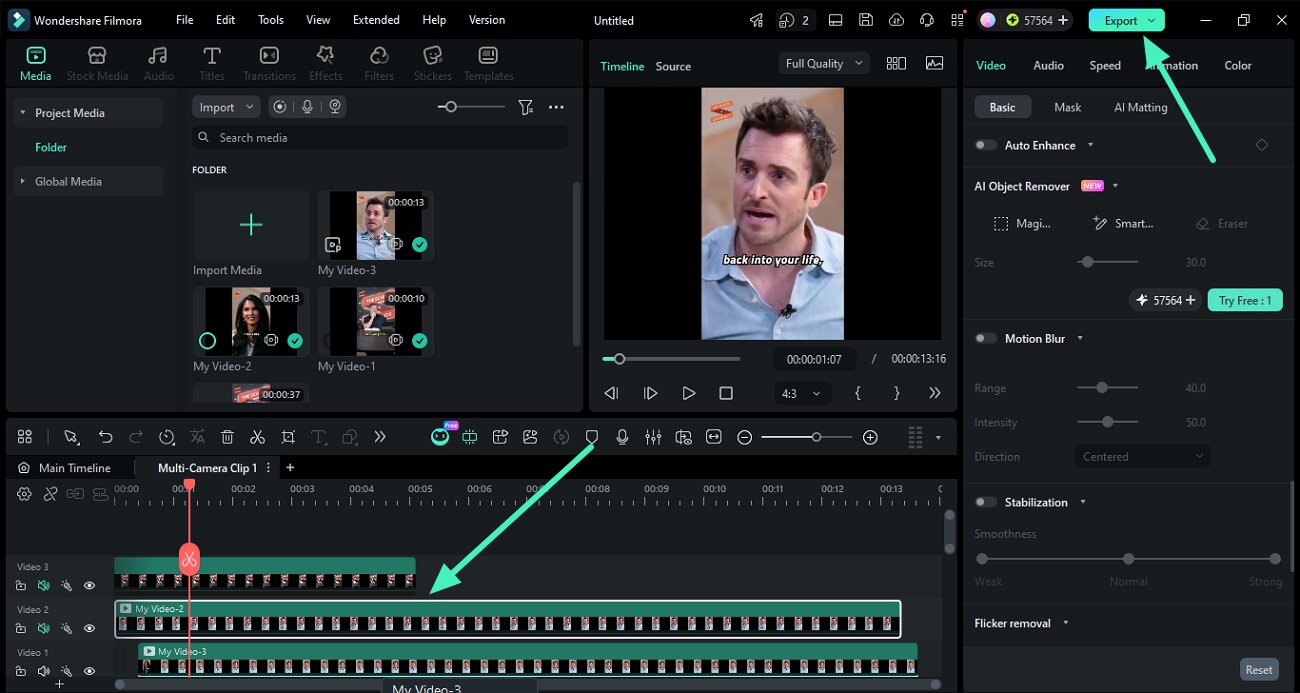
Filmora lets you edit product footage and creator clips into a finished ad on a desktop timeline. Smart Search helps you find useful clips, while AI Text-Based Editing lets you trim spoken recordings through their transcripts. You can then arrange the selected clips on the timeline and refine the cuts and pacing of the ad.
Titles, captions, graphic layers and keyframe animation keep product callouts and offer text individually editable. Colour wheels, curves and colour masks support shot matching and targeted adjustments. EQ, denoise, separate audio tracks and ducking help treat the voice and make room for it beneath music. Auto Reframe adapts the subject framing to another aspect ratio, with manual crop, position and text adjustments available afterward.
AI Mate, Filmora’s conversational assistant, can apply supported adjustments directly. However, some requests return Start Guide instructions instead of a completed edit, leaving you to make those changes manually.
Some AI features use credits even with a paid Filmora licence. AI Text-Based Editing and Speech-to-Text use AI credits, as do several tools for generating media. AI Mate has its own conversation allowance.
The Advanced plan costs US$59.99 per year and includes 1,000 AI credits and 500 AI Mate conversations each month. The monthly AI credits expire 30 days after they are issued and do not roll over. The Perpetual licence gives you 1,000 credits once, with no expiry. It includes updates to Filmora 16, but upgrades to future major versions are not included.
Paid editing licences support watermark-free exports, including 4K on the displayed options. Routine trial exports carry a watermark, so ongoing clean delivery requires a paid editing licence. Premium Creative Assets are a separate optional subscription, adding another cost if you use its premium effects, titles or music in the ad. Applicable commercial rights also need to cover that use. The invideo Editor versus Filmora comparison for podcasts develops the shared manual-editing, assistant and allowance decisions for recorded speech.
Filmora suits editors who want to assemble the ad directly on desktop and carry it through detailed graphics, colour and sound work, with AI Mate alongside the timeline. Its paid licence covers clean delivery, while transcription, generated assets and conversational usage need their own allowance budget.
Frequently asked questions
Do I need an existing ad before I can use these editors?
No. You can start with supplied product footage, creator recordings, a script or offer, and brand assets. Invideo Editor can find relevant spoken and visual moments and assemble them around that brief, then keep the captions, graphics and sound editable. An existing finished ad is useful for cutdowns, but it is not required for the complete edit compared here.
How do I adapt the same ad to vertical, square and landscape sizes?
Invideo Editor can keep each version on a separate timeline. Change the aspect ratio, reframe the shots and reposition captions, logos and offer graphics to fit each layout. The built-in agent, ChatGPT or Claude can carry out these adjustments, with manual controls available to refine the crop and text placement.
Can I change the offer’s wording and timing without altering the product footage?
Yes. Invideo Editor lets you keep the offer on its own editable text or graphic layer. You can change its wording, appearance and timing manually or through your AI assistant while preserving the product demonstration. If the offer is burned into an imported video, you’ll need the original project or clean source footage to change it independently.
Can I edit and export an ad without an editing subscription?
Yes. Invideo Editor provides free manual editing, ordinary ChatGPT or Claude MCP editing, watermark-free videos and editable-project exports. Your external assistant’s own subscription and usage limits apply separately; built-in-agent work and new media generation use invideo credits. Canva also exports clean videos with your own or free assets, and CapCut offers free exports when the project avoids Pro features and materials.
Can I fine-tune an AI-assisted edit manually?
Yes. Invideo Editor keeps the clips, captions, graphics and audio editable after the assistant’s changes. You can refine cuts, adjust text timing and animation, correct individual shots and balance the soundtrack through the same timeline controls.