Poor prompting increases AI video costs because every generation is a credit spend, and vague or under-constrained prompts multiply generations per shot. Even disciplined productions average 3 generations per usable shot and keep only ~25% of generated clips — undisciplined prompting inflates those multipliers on every single shot, compounding across the whole film.
Treat the generation as your cost unit, and the math becomes clear. In one documented 3-minute animated episode, a 2-person team generated 164 clips to keep 41 — a ~25% selection rate — using on average only 5 seconds of each 15-second clip, at an average of 3 generations per usable shot. That was with disciplined, structured prompting; it landed at $950 total, or $315 per finished minute. Across documented productions, finished cost runs $315–$750 per minute depending on team and approach — and most of that budget is iteration. Every prompting failure raises the generations-per-usable-shot ratio, and that ratio multiplies across every shot in the film. As one creator documenting the workflow put it: "You need to be really good at prompting if you don't want to spend a small fortune on iterations until you get the outcome you're after."
Four prompting failures burn credits fastest. First, vague style words: prompting "make it cinematic" produces generic output that gets regenerated, while specific cinematographic language — lens type, lighting source, contrast direction — lands closer on the first try. Second, missing constraints: without positive constraints (what the model should do) and negative constraints (what it must not do) tailored to each scene, you get floating objects, character cloning, and anatomical errors — each one a full regeneration. Third, over-directed dialogue: adding second-by-second timestamps to Seedance 2.0 dialogue prompts causes the model to hallucinate whispered filler lines to fill dead time, wasting the entire clip; give it the line and scene context and let it pace itself. Fourth, wrong or stray reference attachments produce completely incorrect output — in one production, removing a single stray attached image fixed a continuity problem that re-prompting couldn't.
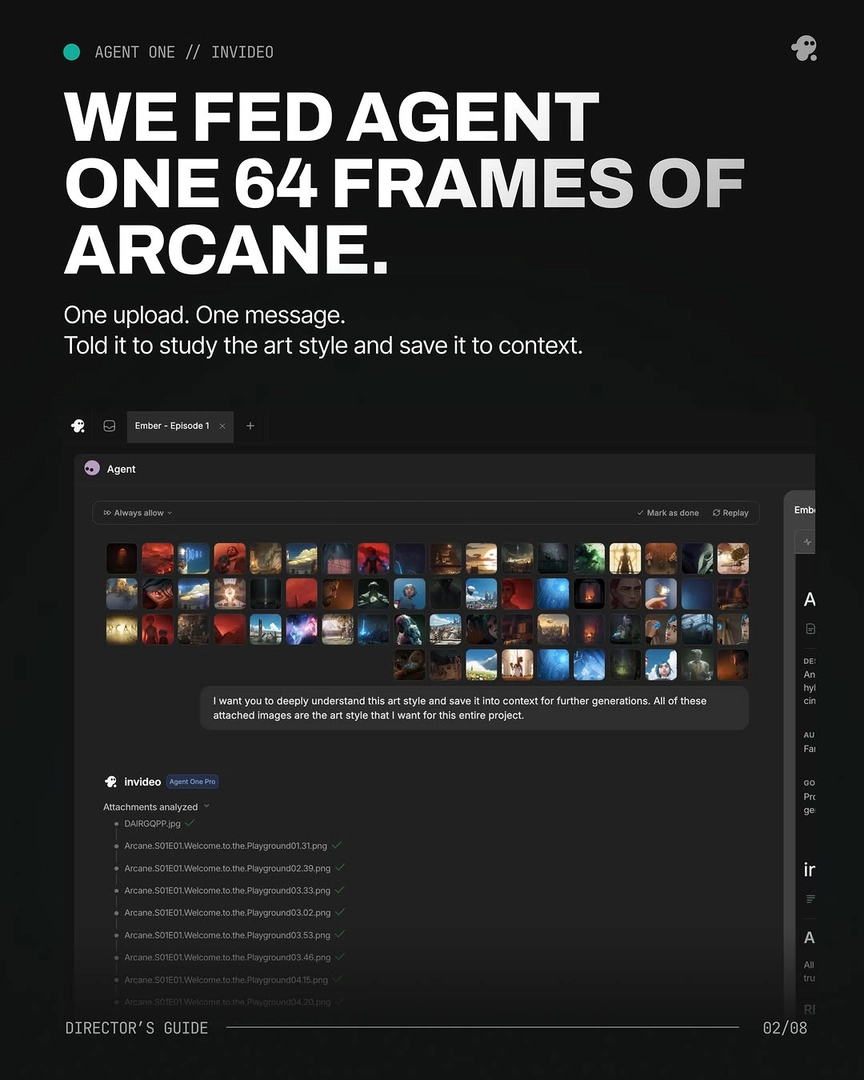
Context loss compounds all of this. Tools without persistent memory cost roughly 20 minutes per session re-describing your character, world, and visual language — and any detail you re-describe slightly differently produces drift, which means regenerating shots that were otherwise fine. Working through the invideo agent, which holds character references, style rules, and project context persistently, removes that re-explanation tax and keeps consistency errors from triggering regeneration cascades.
Iterating at the wrong stage is the other major cost multiplier. Video generations cost far more than images, so approve composition, characters, and flow at the image stage first — a storyboard frame shows you exactly how a shot will translate before you spend a single video credit. One creator ran an entire sequence to storyboard approval with zero video-generation credits spent.
Finally, govern prompts before they spend money. Instruct the invideo agent to output the written prompt for review and approval before triggering any generation, and use Always Ask mode so every shot requires your sign-off before credits are committed. The invideo agent will also flag model limitations before generating — in one production it caught that a scene requiring 18 cuts in 15 seconds exceeded what the model could deliver and recommended splitting it, avoiding a run of doomed generations. The aggregate effect of this discipline is measurable: a 2-minute brand film finished in 3 days for ~$1,500 through the invideo agent, where the same project via manual prompting was estimated at a week or more of iteration.
Watch some of these to see what works for you:
You need to be really good at prompting if you don't want to spend a small fortune on iterations until you get the outcome you're after.
— a creator documenting an AI video production workflow